professional grade image enhancement for everyone

Solutions for every PDF use case
Pixometry is a cloud-based image enhancement service that automatically improves photos, removes backgrounds, and upscales low-resolution sources. Built for publishers, print shops, and retailers processing anywhere from one image to five thousand in seconds.
- No Photoshop operator needed
- No installation
- No specialist skills


How does Pixometry improve your images?
Not enough time to process every image properly? No Photoshop expert on the team? Source files that are underexposed, too small for print, cluttered with distracting backgrounds, or simply not good enough to represent your brand the way they should? These are the everyday realities for most marketing teams, publishers, and content creators, they cost time, money, and missed opportunities every single day.
Pixometry was built to fix exactly that. Upload your images and they come back looking their absolute best: colours that pop, sharpness that holds up under scrutiny, backgrounds cleanly removed, resolution that meets the demands of any format. No manual intervention. No specialist knowledge. No compromise on quality. Just images that are perfectly prepared for wherever they’re going, print, screen, catalogue, social, or press. All in seconds, whether that’s one image or five thousand.
Stop settling for good enough.
Your images deserve better.
Pixometry brings together decades of professional imaging expertise, trusted by publishers and media organisations in nearly 60 countries, and now available to any team, through a browser, in seconds.
How do I process images with Pixometry?
Simple drag & drop opens the doorway to a range of powerful imaging tools. Handling virtually all image file formats, including HEIC, WebP, AVIF and beyond, Pixometry delivers a perfect file optimised for web, print and everywhere in between.
- Choose images
Select the images that you need optimised. - Drag & drop
Simply drop them on to the relevant workflow tile in the browser. - Download & use
Follow the processing in the Results page, then download and use.
Need something specific for your needs?
No problem.
Simply create your own enhancements and use them every time

Background Removal
Before

Background Removal
After

Noise Reduction
Before

Noise Reduction
After

Colour Correction
Before

Colour Correction
After
BECAUSE DETAILS MATTER
What can Pixometry do?
Everything your images need to look their best.
Image Enhancement · Background Removal · AI Upscaling · Easy Integration
More details in seconds
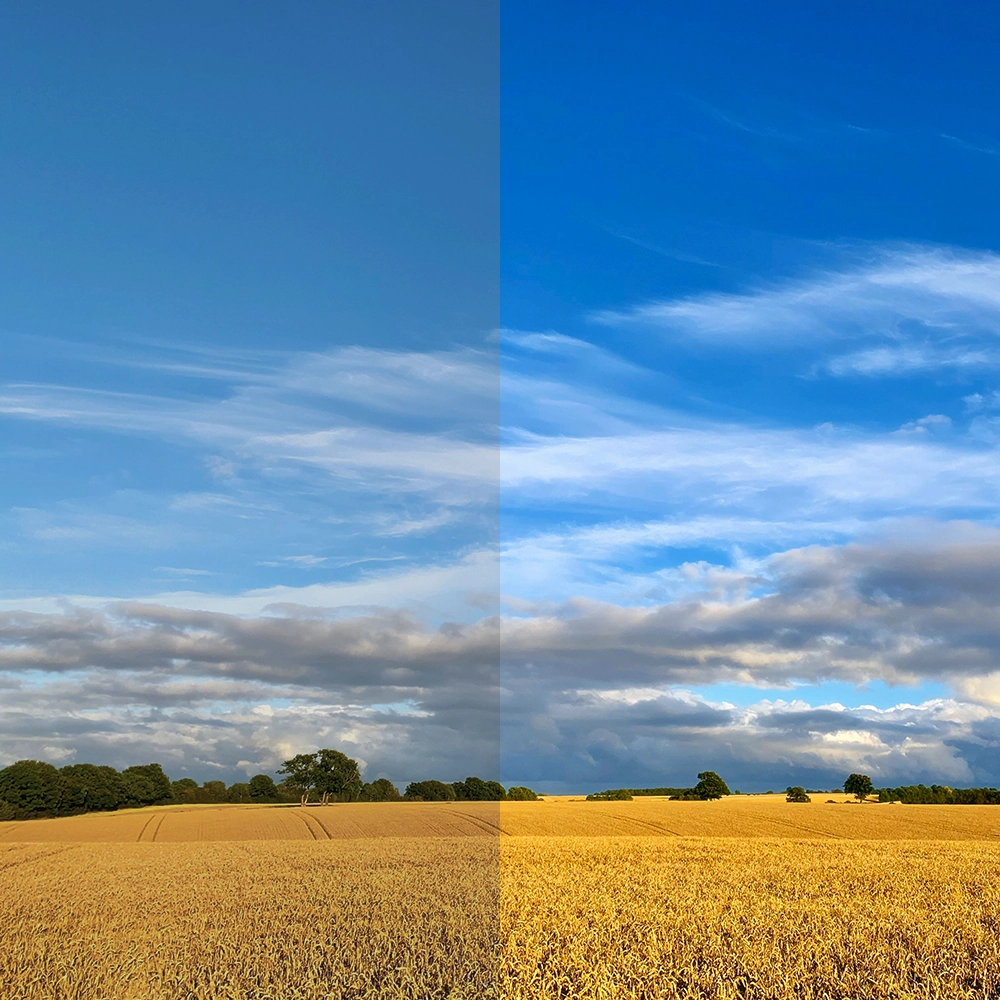
Pixometry enhances your images to make them shine, on screen or paper. Utilising Pixometry’s own advanced toning engine, your images become brighter, sharper and more vivid, gaining attention and increasing engagement with the content.
Use the provided channels out of the box, or refine the results with the user‑friendly tools.
Boost your efficiency with background removal
Precise, detailed background removal completed in seconds, the edge you need for creating stylish designs and stand‑out imagery.
Choose from a PNG that’s ready to go live online immediately, or opt for a layered Photoshop file for more creative control in your content design. Perfect for print, e‑commerce or HD displays.

Improve, sharpen and unblur your images in seconds
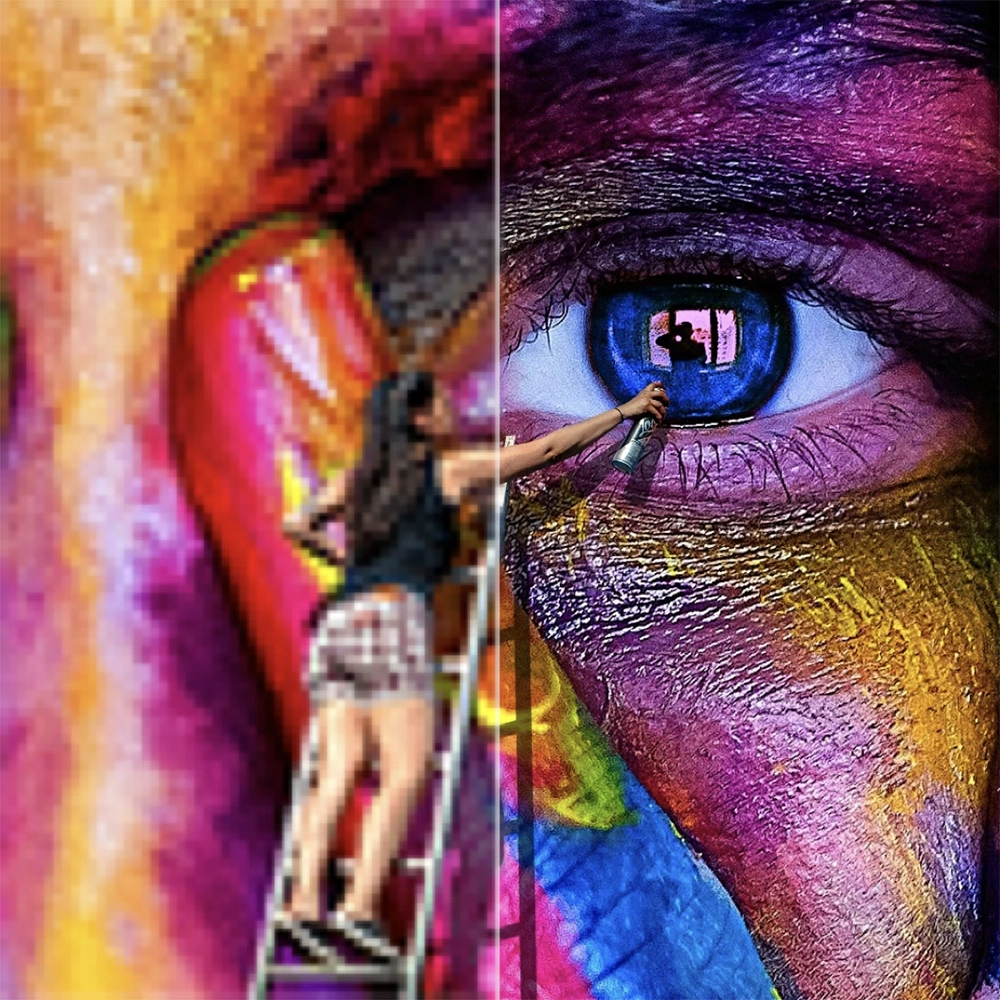
Upscale almost any low‑res image to 2× with specific face detection and recovery. Perfect for images from social feeds or screen grabs you need to reuse on the front page, or enlarge on screen.
Don’t just add pixels. Add the right pixels. Pixometry’s image upscaler maximises both the level of detail and the accuracy to your original. Your images end up larger and sharper, without losing the detail you started with.
Easy integration with your workflow
Install the Pixometry plugin for Adobe InDesign, wire up your Enfocus Switch flow, or hit the REST API from your existing tooling. Every entry point uses the same channels, configure once, use everywhere.
For high‑volume workflows, our Smart Connector desktop app handles folder uploads and batch processing without opening a browser.
Consultative guidance for agencies, studios, publishers, and in-house teams.